Salesforce, one of the top CRM (Customer Relationship Management) platforms, is truly revolutionizing the way businesses run their customer relationships and streamline their operations. It enables organizations to interact with customers, streamline sales processes, offer better customer service, and drive sales. Salesforce offers a wide range of capabilities and features, including sales, support, marketing, and analytics.
To fully take advantage of Salesforce integration tools, companies have to connect it with their systems and applications. Salesforce relationship technologies allow businesses to easily link Salesforce with different systems like ERP, marketing automation, and e-commerce websites. This integration can greatly improve productivity, quality of data, and overall company performance.
What is Salesforce Integration?
Salesforce integration is a way of connecting Salesforce to other software programs and systems to create a more consistent and efficient company workflow. This link allows businesses to share data, automate procedures, and make more informed decisions. Businesses that connect Salesforce with other systems can avoid entering data manually, reduce errors, and get valuable information from their data.
For example, a business can link Salesforce to its marketing automation software to sync client data, track lead creation along with assessing the effectiveness of marketing campaigns. This link can assist businesses to improve their lead creating efforts and boost sales.
Benefits of Using Salesforce Integration Tools
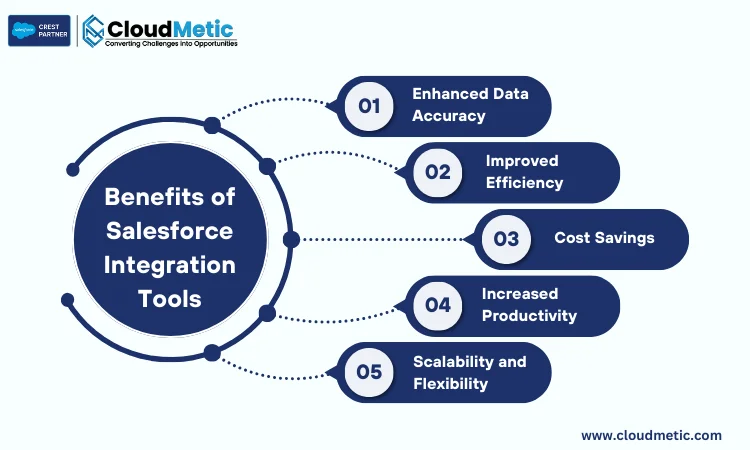
There are multiple benefits when you are doing integration with Salesforce. These benefits of Salesforce integration can be great for any business working and integrating Salesforce into its core.
Enhanced Productivity
Automation of jobs and improved processes can significantly boost productivity. Employees can focus on more important activities, including building client connections and closing deals, by automating repetitive tasks such as data entry and reporting.
Improved Data Accuracy
With the help of real-time synchronization of data and reducing errors and thus ensuring that there is real time consistency across all the connected systems. When data is synced with these systems, this eliminates the need for human made errors.
Better Decision-Making
Access to unified data enables educated decision-making. By integrating Salesforce with different systems, businesses can get an in-depth understanding of their client data and operational performance. It enables them to make data-driven decisions that improve business results.
Enhanced Customer Experience:
A better customer experience is created with the help of seamless integration of client data across multiple platforms. When the customer data is connected, businesses can develop more tailored events, resolve customer issues faster, and build stronger customer connections.
Increased Efficiency:
Routine tasks are automated, giving up valuable time for employees on the major goals. Businesses who automate regular procedures can cut costs for operations while improving overall efficiency.
Understanding How Salesforce Integration Tools Operate
Salesforce integration tools that are typically worked by using the APIs along with exchanging data between systems. Two general types of integration are:
Data Integration
Data integration is the procedure of syncing information between systems in order to guarantee that it remains accurate and up to date across all platforms. This can be done using a number of approaches, such real-time synchronization, regular batch processes, and driven by event triggers.
Real-time synchronization guarantees that data is always up to date, whereas intended batch tasks may sync data at scheduled times. Event-driven triggers are able to automatically synchronize data whenever specific events occur, such as the setting up a new record in Salesforce.
Data Migration:
Data migration is the procedure of moving data from one single platform to another, for example, from an older system to Salesforce. This can be challenging, especially for big datasets. Data migration ideas can help automate the procedure while maintaining data accuracy. To prevent interruption and data loss, data transfer ought to be carefully planned and executed.
Data integration tools can also be used to transform data before it is integrated into Salesforce. This can involve cleaning, filtering, and formatting data to ensure it is compatible with Salesforce’s data model. Additionally, data integration tools can be used to enrich data by adding additional information from other sources, such as social media or public databases.
Choosing the Right Salesforce Integration Tool: Essential Checklist
When selecting a Salesforce integration tool, consider the following criteria:
Compatibility with existing systems:
Verify if the product is compatible with your current software and infrastructure, including CRM, ERP, automation for marketing, and other company applications.
Ease of use and flexibility:
Get yourself to choose a tool that’s simple and easy to learn and has a simple interface. A simple and easy user interface can easily help you and manage all the integrations without the use of extensive research and expertise
Support and scalability options:
Look for a tool that has customer support along with the right ability for a bigger scale as the business grows. Consider different factors like response times along with documentation availability and the availability of training resources.
Cost-Effectiveness
Cost-effectiveness: Analyze the pricing structures for different integration solutions, including authorization, maintenance, and support fees. Choose an application that offers the right mix between features and prices.
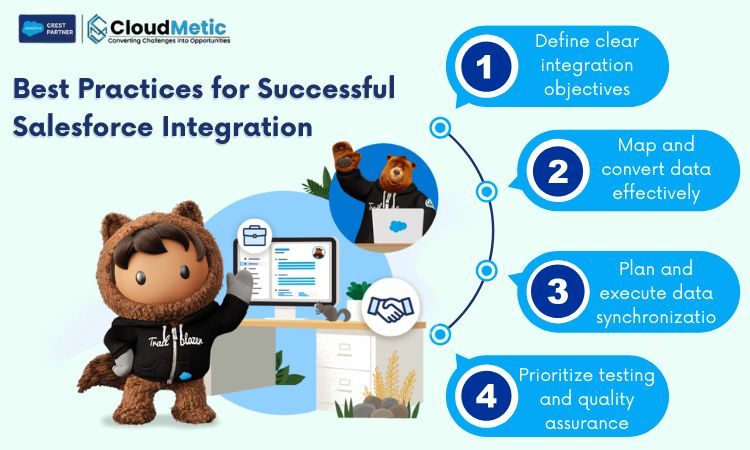
Best Practices for Successful Salesforce Integration
These are some of the best practices for perfect Salesforce Integration:
Define clear integration objectives: Define the goals and benefits of the integration.
Map and convert data effectively: Select the data that needs to be established and map it to the relevant Salesforce fields.
Plan and execute data synchronization: Create a data sync strategy that guarantees consistency and accuracy.
Prioritize testing and quality assurance: Carefully test the integration to identify and solve any problems.
Conclusion
Businesses can increase the value of their CRM platform by using Salesforce connectivity options. These methods have the potential to greatly boost business development and success by simplifying procedures, enhancing data accuracy, and enhancing customer experiences. Collaborate with Salesforce consulting partners who offer encountered guidance and assistance to guarantee a successful Salesforce integration.
Businesses using Salesforce integration may obtain an improved understanding of their customer data, enabling them to make more informed choices, personalize client interactions, and boost sales growth.
In addition, integration can ease workflows, eliminate repetitive tasks, and reduce errors, leading to improved productivity and production. For a successful implementation, carefully review your company’s particular needs and go for the right Salesforce consulting partners for efficient integration.
A testimonial is a window into the experiences of our clients and partners who've worked with us.
Here, we share their feedback on how CloudMetic's solutions, approach, and support have made a real difference.
Salesforce · Reviews
Amara Singh
CTO, Nexus Corp
Salesforce transformed our sales pipeline. Real-time insights and AI-driven forecasts boosted revenue by 34% in Q2. The 360° view is a game changer.
James Park
VP, Omni Retail
The 360° view of our customers is unmatched. Integration was smooth, and the support team is world-class. Highly recommend for enterprise sales.
Clara Weber
Sales Ops, FinServe
Automation and workflow rules saved us 20+ hours weekly. Absolutely essential for our growth. The reporting dashboards are incredibly powerful.
Shopify · Reviews
Maya Chen
Founder, Bloom & Spice
Shopify made launching our DTC brand effortless. The app ecosystem is incredible, and our store looks gorgeous. Conversion rates are through the roof.
David Okafor
E‑com Manager, Volt Goods
Conversion rate increased 27% after switching to Shopify. Analytics and checkout are best-in-class. We've never looked back.
Elena Rossi
Creative Dir., Artisan Co.
The customization options are endless. We built a unique brand experience without writing a single line of code. Absolutely love the theme store.
ServiceNow · Reviews
Raj Patel
IT Director, CloudBridge
ServiceNow automated our entire IT service desk. Incident resolution time dropped by 60%. The platform is reliable and easy to configure.
Sophie Turner
VP Ops, Apex Systems
The platform is a game-changer for enterprise service management. Scalable, secure, and incredibly intuitive. Our ops team loves it.
Carlos Mendez
Security Lead, Zephyr
Governance and compliance are built-in. We streamlined risk management across all departments. A must-have for regulated industries.
AWS · Reviews
Taylor Kim
Cloud Arch., DataFlow
AWS gives us unmatched flexibility. From EC2 to Lambda, we deploy globally with zero downtime. The service breadth is incredible.
Nina Gupta
ML Engineer, Neurona
SageMaker and Bedrock accelerated our AI roadmap. The ecosystem is vast and deeply integrated. We ship models faster than ever.
Omar Hassan
CTO, CloudNova
Reliability and scalability are second to none. AWS is the backbone of our entire infrastructure. We sleep well at night.